What Spotify Canvas Actually Does
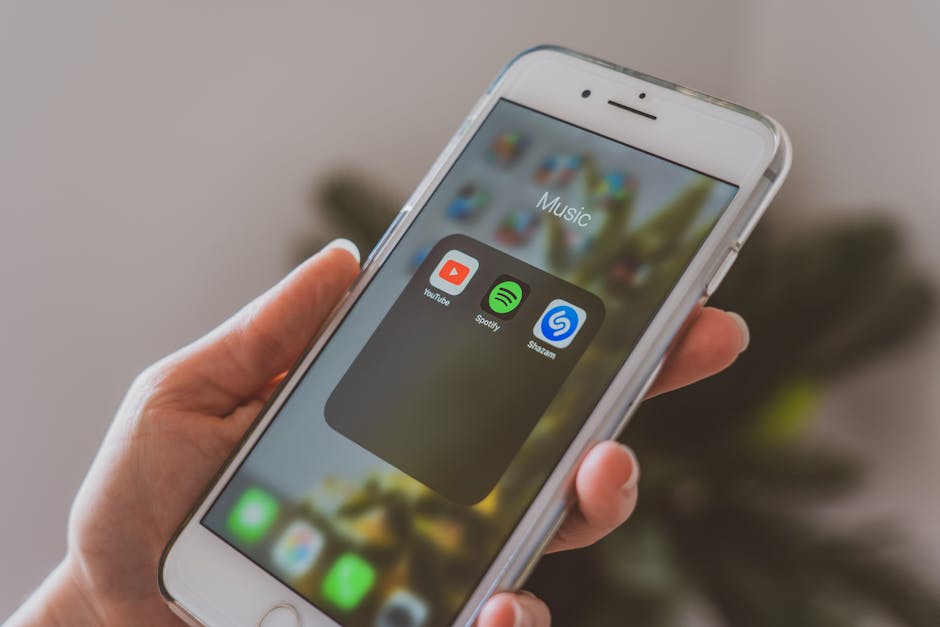
Open Spotify on a phone. Play any track. Some artists have a 3-8 second video loop instead of the static album art on the now-playing screen. That's Canvas.
Canvases drive engagement. Spotify reports tracks with Canvas have 5-12% higher save rate. They also drive shares; the Canvas plays in Instagram Stories when users share the track. For artists, Canvas is one of the few visual marketing surfaces inside Spotify.
The catch: tight specs, mandatory approval, and rejection for issues that aren't well-documented. This post covers the actual production specs and how to deliver something that gets approved on the first submission.
For broader vertical-video specs, see TikTok and YouTube Shorts Export Settings.
The Hard Specs
| Spec | Value |
|---|---|
| Aspect ratio | 9:16 (vertical) |
| Resolution | 720×1280 (minimum), up to 1080×1920 |
| Duration | 3-8 seconds |
| Format | MP4 (H.264) |
| Audio | None (must be silent) |
| File size | Under 25 MB |
| Frame rate | 30 fps recommended |
| Loop quality | Must loop seamlessly |
| Color space | sRGB Rec.709 |
The 9:16 aspect, silent audio, and seamless loop are non-negotiable. The platform rejects uploads that don't meet these.
Designing for the 9:16 Frame
Spotify's now-playing screen overlays UI on top of the Canvas:
- Top: track title + artist (top ~150 px area)
- Middle: large album art space (where Canvas plays)
- Bottom: playback controls and lyrics tray (bottom ~280 px area)
Effective Canvas area is roughly 400 px tall by 720 px wide (in the middle of the 720×1280 frame).
Important visual elements should live in the center 60% vertically. Edges of the frame are partially obscured by UI.
Pro Tip: Use a 720×1280 template with safe-zone overlays in your video editor. The middle 60% of the frame is where viewers actually see content. Anything in the top/bottom margins gets covered by Spotify's UI.
Seamless Looping
Canvas plays in continuous loop. Visible cuts between loop end and start are jarring. Two approaches:
Option 1: Boomerang/palindrome
Play forward, then play backward. The loop point is the same frame. Always seamless. Works for static content (a flame flickering, water rippling).
Option 2: Designed loop
The first frame and last frame are visually identical. The motion in between makes the transition invisible. Works for designed content (camera movement that returns to start, character animation that completes a cycle).
Option 1 is easier; Option 2 looks more polished. For one-shot live action: Option 1. For animation or designed content: Option 2.
Audio Must Be Silent
Spotify plays the track audio. Canvas audio is muted. If you upload audio, it gets stripped automatically.
Canvas videos with audio sometimes get rejected for "audio is silent but the file has audio tracks." Strip audio explicitly in export:
ffmpeg -i input.mp4 -an -c:v libx264 -preset slow -crf 23 -pix_fmt yuv420p -movflags +faststart output.mp4
-an removes audio. -pix_fmt yuv420p ensures Apple-compatible color space.
Bitrate and File Size
The 25 MB limit is the cap, but smaller files improve mobile streaming:
| Quality target | CRF | File size (8s @ 720×1280) |
|---|---|---|
| Excellent | 18 | ~15-20 MB |
| Good | 22 | ~5-8 MB |
| Acceptable | 26 | ~2-4 MB |
| Aggressive | 30 | ~1-2 MB |
For most Canvas content: CRF 22 produces clean output well under the 25 MB limit. Streaming on mobile data is faster with smaller files.
Color Space and Codec
Spotify's mobile apps show Canvas in sRGB Rec.709. HDR Canvas isn't supported.
Force Rec.709 in FFmpeg:
ffmpeg -i input.mp4 \
  -an \
  -c:v libx264 -preset slow -crf 22 \
  -pix_fmt yuv420p \
  -color_primaries bt709 -color_trc bt709 -colorspace bt709 \
  -movflags +faststart \
  canvas.mp4
Without explicit color metadata, some Canvas uploads display with shifted colors on certain devices.
Submission Process
Canvas is uploaded through Spotify for Artists (artist dashboard):
- Log in to artists.spotify.com
- Navigate to a release
- Click "Add Canvas"
- Upload MP4
- Submit
Approval typically takes 24-72 hours. Rejection reasons usually include:
- Resolution below 720×1280
- Aspect ratio not 9:16
- Duration outside 3-8 seconds
- Audio present (often, even if technically silent)
- Watermarks or third-party logos
- Copyright concerns (using clip from movie/show without rights)
For commercial production, deliver a 1080×1920 master. Spotify accepts higher resolution and may use the larger version on devices that support it.
Style Considerations
What works visually on Canvas:
| Style | Effectiveness |
|---|---|
| Slow motion | Excellent (loops well, abstract) |
| Abstract animation | Excellent (no recognizable end point) |
| Performance footage | Good (band playing, drum hits) |
| Product/brand imagery | Mixed (looks salesy) |
| Text-heavy | Bad (small text doesn't read) |
| Fast cuts | Bad (jarring at loop boundary) |
| Sentence-completion text | Bad (loop break interrupts the sentence) |
For musicians: live performance loops or abstract visual art match Spotify's aesthetic best. Avoid heavy branding; the listener's already on your track page.
Multiple Versions
You can upload different Canvases for different geographic markets or different "moods" of releases. Each track gets one Canvas; if you change it, the new one replaces the old.
For album promotion, consider Canvas variants:
- Per-track Canvas (each song its own loop)
- Album-themed Canvas (consistent visual identity across tracks)
- Tour-promotion Canvas (announcing live shows in the loop)
Album-wide consistency drives stronger brand identity. Per-track Canvas drives song-level engagement.
Common Issues
Submission rejected for "silent audio": file has an audio track even though it's silent. Use -an flag to strip the audio entirely.
Canvas plays but doesn't loop on iOS: iOS Safari has occasional issues with media duration metadata. Re-encode with -movflags +faststart and verify duration with ffprobe.
Color shift on certain phones: missing color metadata in encode. Add -color_primaries bt709 -color_trc bt709 -colorspace bt709.
File over 25 MB: bitrate too high. Reduce to CRF 24-26 for shorter Canvases. Verify with ffprobe -i canvas.mp4.
Loop looks jagged: framerate mismatch between source and timeline. Conform source to 30 fps before export.
For underlying video compression, see our video compressor.
Frequently Asked Questions
How often can I update my Canvas?
There's no documented limit, but excessive updates may flag the account for review. Every 2-4 weeks is normal. Daily updates suggest spam.
Does Canvas affect Spotify's algorithm?
Canvas itself doesn't directly affect playlist or algorithmic placement. It does increase save rate (5-12% in Spotify's data), which is one signal among many.
Can I use copyrighted footage?
No. Canvas content needs to be cleared. Using a movie clip without rights leads to rejection or removal. Footage from your own music video with cleared rights is fine.
What if I don't have video skills?
Hire a video editor on Fiverr ($30-100 typical), or use Canva or Adobe Express templates designed for Canvas. Many label distribution services include Canvas creation in marketing packages.
Can the same Canvas work for TikTok or Reels?
Different aspect ratio is the same (9:16), but TikTok/Reels expect 60-second content with audio. Canvas is 3-8 seconds silent. The visual asset can be a base, but the duration and audio differ.
How does Canvas compare to YouTube Shorts?
Canvas is much shorter (3-8s vs up to 60s), silent (no audio), and only displayed within Spotify's app. Shorts is full content with audio. They serve different roles.
Related Reading
Bottom Line
For Spotify Canvas: 9:16 vertical, 720×1280 minimum (1080×1920 better), 3-8 seconds, silent audio, seamless loop, sRGB Rec.709 color space. Use boomerang loops for one-shot footage or designed loops for animation. Strip audio explicitly and force color metadata in encode. Our video compressor handles the file size control.