Why R3D Files Are Different
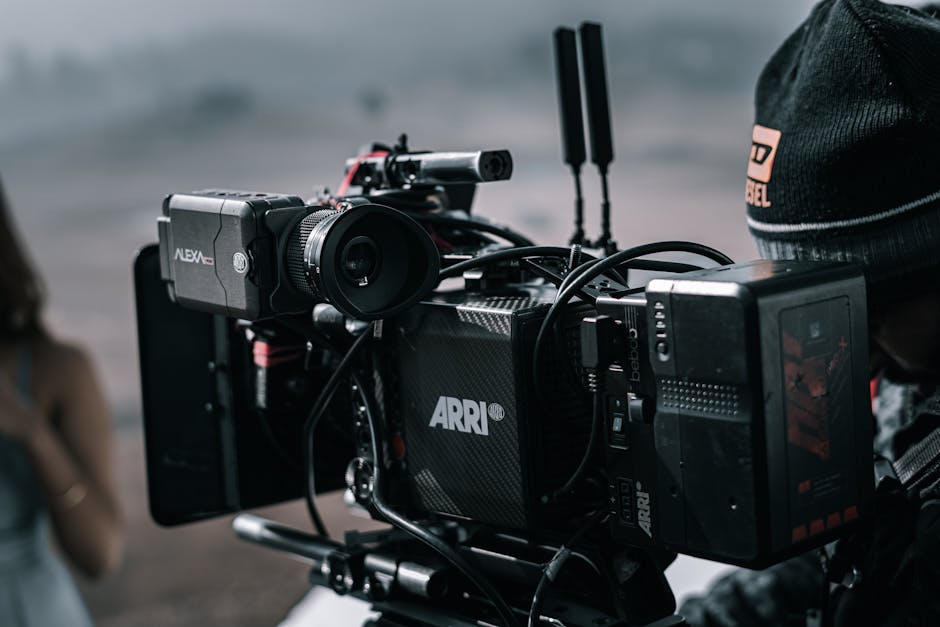
A RED camera doesn't record finished video. It records sensor data (REDCODE RAW) wrapped in .R3D files. This is the same idea as RAW photo files: the camera captures linearized sensor measurements, and the post-production stage debayers them into actual pixels.
The result: an .R3D file plays as a black screen in VLC, refuses to import in iMovie, and shows up as "unsupported codec" in Windows Media Player. RED's REDCODE format requires a debayer step before any standard player can show the picture.
For Windows users without a Mac for round-trips, the path is: install RED's free SDK (RED REDCINE-X PRO or RED Player), or use DaVinci Resolve Studio (which has REDCODE support built in), or transcode to ProRes/DNxHR via FFmpeg with the RED SDK.
This post covers all three paths plus the color-management considerations that separate professional R3D workflow from "it kind of plays."
What's Inside an R3D File
An .R3D file contains:
- REDCODE RAW compressed sensor data
- Per-clip metadata (lens, ISO, white balance, color science version)
- Audio (PCM, separate from video)
- Optional embedded markers and notes
REDCODE compression has multiple ratios:
| Ratio | Bitrate (8K source) | Quality |
|---|---|---|
| 2:1 | ~890 Mbps | Visually lossless |
| 4:1 | ~445 Mbps | Reference grade |
| 7:1 | ~255 Mbps | Production default |
| 12:1 | ~150 Mbps | Long-take or low-light |
| 15:1 | ~120 Mbps | Backup/archival |
Even the most compressed setting (15:1) is significantly above modern delivery codecs. R3D is meant for editing and color grading, not delivery.
Path 1: DaVinci Resolve Studio (Recommended)
DaVinci Resolve Studio (paid, $295) reads R3D natively on Windows. Steps:
- Install Resolve Studio
- Drop R3D files into the Media Pool
- Double-click to add to timeline
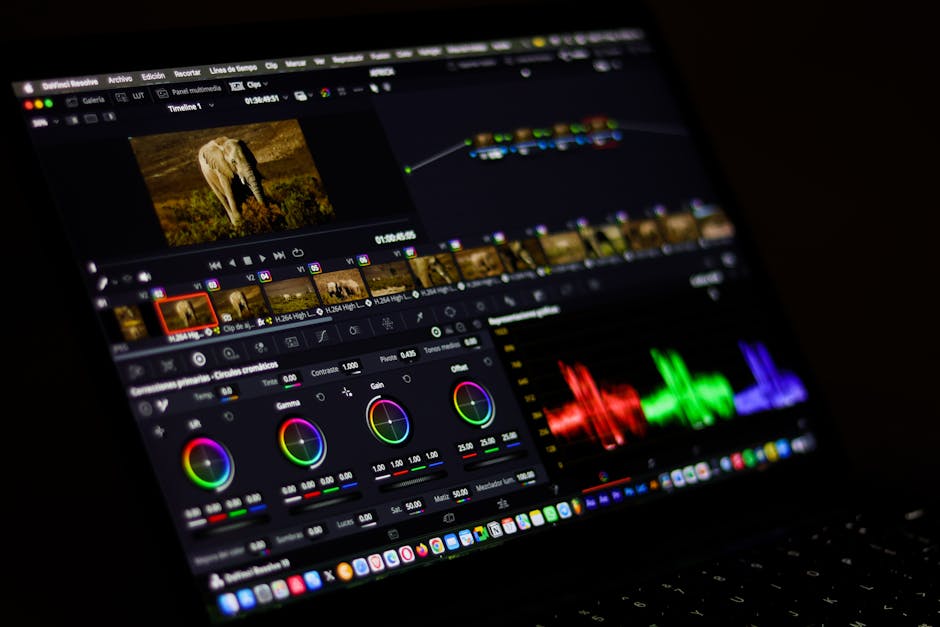
- Resolve auto-debayers; the picture appears
- Edit, color grade, deliver
The free version of DaVinci does not include R3D support on Windows. Studio is required.
For color grading, Resolve uses RED's color science (latest is IPP2) to debayer the sensor data. The output color space depends on your project setting:
- Project Settings > Color Management > RCM Color Managed
- Input Color Space: REDWideGamutRGB / Log3G10
- Timeline Color Space: DaVinci WG/Intermediate
- Output Color Space: Rec.709 Gamma 2.4
This setup gives you the full dynamic range of the R3D source, with Resolve handling the conversion to delivery color space transparently.
Path 2: REDCINE-X PRO
REDCINE-X PRO is RED's free utility for transcoding R3D to standard formats. Windows download from red.com.
Steps:
- Install REDCINE-X PRO
- Open R3D files in the project bin
- Set output format (ProRes 422 HQ recommended)
- Set color space (Rec.709 Gamma 2.4 for delivery, Log3G10 for further grading)
- Render
REDCINE-X PRO is the official path for transcoding without an NLE. It's slower than batch FFmpeg but produces the highest-quality debayer (RED's algorithms are reference).
Path 3: FFmpeg with RED SDK
For programmatic batch processing without an NLE:
- Install RED SDK (free, requires registration with RED)
- Build FFmpeg with REDCODE support, or use RED's
RedlineLitecommand-line tool
Direct FFmpeg conversion (without RED SDK):
# Limited debayer, not RED-quality color science
ffmpeg -i input.R3D \
  -c:v prores_ks -profile:v 3 \
  -pix_fmt yuv422p10le \
  output.prores.mov
This works but produces a non-RED debayer. Color is approximate. For proper RED color, use RedlineLite:
RedlineLite \
  --i input.R3D \
  --o output.mov \
  --format prores_hq \
  --colorspace rec709 \
  --gamma rec709
This invokes RED's debayer with their color science, output as ProRes 422 HQ in Rec.709.
Color Space Decisions
R3D source has multiple intermediate color space options:
| Color space | Use case |
|---|---|
| REDWideGamutRGB / Log3G10 | Master grade, full range |
| REDColor4 / REDLogFilm | Older RED color science |
| Rec.709 Gamma 2.4 | Delivery to standard SDR |
| Rec.2020 ST.2084 1000 nits | HDR10 delivery |
| Rec.2020 HLG | HLG broadcast |
For a typical YouTube delivery: debayer to Rec.709 Gamma 2.4 directly. For a master that you'll grade further: debayer to REDWideGamutRGB / Log3G10, grade in Resolve, then deliver to Rec.709.
The "old" RED color science (REDColor4) is still relevant if you're matching footage from older RED cameras that didn't support IPP2.
ProRes Variants for R3D Intermediate
When transcoding R3D to ProRes:
| Variant | Profile | Bitrate (1080p30) | Use |
|---|---|---|---|
| ProRes 422 Proxy | 0 | ~45 Mbps | Offline edit |
| ProRes 422 LT | 1 | ~100 Mbps | Lightweight |
| ProRes 422 | 2 | ~150 Mbps | Standard |
| ProRes 422 HQ | 3 | ~220 Mbps | High quality |
| ProRes 4444 | 4 | ~330 Mbps | With alpha |
| ProRes 4444 XQ | 5 | ~500 Mbps | HDR master |
For online editing: ProRes 422 HQ. For master archival: ProRes 4444. For HDR delivery: ProRes 4444 XQ.
For broader ProRes context on Windows, see Apple ProRes Windows Workflow.
DNxHR Alternative
If your team is committed to DNxHR (Avid's intermediate codec) instead of ProRes, the workflow is the same. Replace prores_ks with dnxhd in FFmpeg, or pick DNxHR HQX in Resolve's deliver page.
DNxHR HQX is roughly equivalent to ProRes 422 HQ. Both are visually transparent at the bitrates listed above. Pick the one your team's pipeline uses.
Common Issues
R3D files show as 0 KB in File Explorer: file system flagged them as offline. Reconnect storage and refresh.
Pink or magenta cast on conversion: wrong color space mapping. R3D source has wide gamut color, and incorrect debayering produces hue shifts. Verify the input color space matches the camera's recording setting.
Resolve crashes on R3D import: most common cause is GPU memory. R3D debayer is GPU-intensive. Reduce timeline resolution to 1/2 or 1/4 for editing, render at full resolution at delivery.
Slow import / playback: R3D is computationally expensive. Optimized Media (proxies) is essential for editing. Resolve generates them automatically when enabled.
Pro Tip: When working with R3D, always enable Optimized Media in DaVinci. The 8K R3D source is impossible to play smoothly even on high-end hardware without proxy footage.
Audio in R3D Pipelines
R3D files store PCM audio. When transcoding to ProRes:
RedlineLite \
  --i input.R3D \
  --o output.mov \
  --format prores_hq \
  --audio_codec pcm_s24le \
  --audio_sample_rate 48000
For final delivery, convert PCM to AAC at 192-256 kbps. Don't re-encode PCM at intermediate steps. PCM is lossless; re-encoding PCM gives you identical PCM with no benefit.
For background on audio bitrate trade-offs, see Audio Bitrate Quality Guide.
Camera-to-Edit Workflow
A complete R3D pipeline for a Windows-based shoot:
- On set: shoot R3D with REDCODE 7:1 (production default)
- Ingest: copy from CFexpress card to two destinations (working drive + backup)
- Verify: open files in Resolve to confirm playback
- Generate optimized media: Resolve creates DNxHR LB proxies
- Edit: use proxies for fast scrubbing
- Color grade: switch to source media for accurate color
- Deliver: render to ProRes 422 HQ master, then H.264 for distribution
For a long-form project, generate optimized media at low resolution (1/4 size) to keep editing snappy. The Color page shows full-resolution source for grading.
Frequently Asked Questions
Why is R3D so much bigger than HEVC?
R3D is RAW (sensor data). HEVC is finished video. The comparison isn't apples-to-apples. R3D has 12-13 stops of dynamic range available in post; HEVC delivers about 8-9. The size difference reflects the post-production flexibility difference.
Can I edit R3D files in Premiere on Windows?
Yes, but Premiere's REDCODE support requires the RED SDK plugin (free download). Performance is similar to DaVinci Resolve Studio. Most professional RED workflows are on DaVinci because of stronger color tools.
What's IPP2?
Image Processing Pipeline 2. RED's modernized color science, introduced 2017. All current RED cameras (Komodo X, V-Raptor) use IPP2. Older cameras (Epic, Scarlet) use REDColor3 or REDColor4. IPP2 is more accurate, more linear, and grades more cleanly.
How do I match R3D footage to non-RED cameras (iPhone, drone)?
Match in the color page after both formats are debayered/decoded to a common color space. Project color management to Rec.709 (or Log3G10 for grading). The R3D source has more dynamic range, so the iPhone footage will likely need lifting in shadows to match.
Is R3D worth it for a YouTube video?
Almost never. R3D is for projects that justify the post-production time: feature films, premium TV, high-end commercial. For YouTube, an FX3 in S-Log3 or an iPhone in ProRes is faster, smaller, and visually similar.
Can I convert R3D to MP4 directly?
Technically yes, but you'd be decoding RAW sensor data, debayering, color managing, and re-encoding to lossy MP4 in one step. Quality is acceptable for previews. For finished work, always go through ProRes or DNxHR intermediate. Our MP4 converter handles the final encode after intermediate.
Related Reading
- Apple ProRes Windows Workflow
- HEVC to H.264 for Premiere and DaVinci
- HDR10 vs Dolby Vision Conversion
Bottom Line
For RED R3D on Windows in 2026: DaVinci Resolve Studio is the cleanest path. REDCINE-X PRO for transcoding without an NLE. RedlineLite for command-line batch work. Always go through ProRes 422 HQ or DNxHR HQX intermediate before final delivery. Our video converter hub handles the standard codec side after R3D debayer.