DICOM Files Are Not Just Images
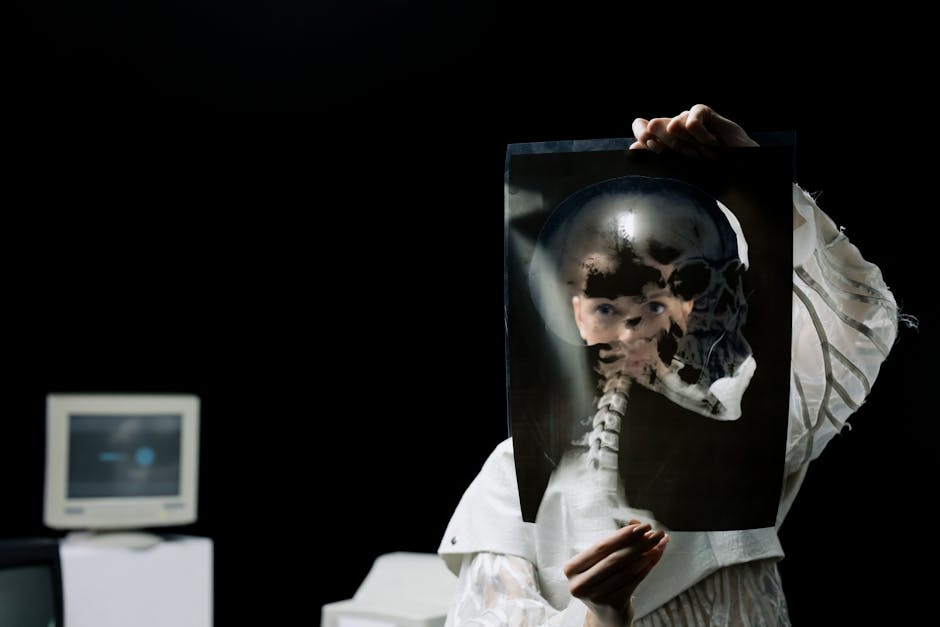
A DICOM file (.dcm) from a hospital imaging system contains:
- The actual image data (or video clip for ultrasound, fluoroscopy, etc.)
- Patient identifiers (name, DOB, MRN, address, insurance)
- Study metadata (modality, body part, technique parameters)
- Physician notes and report fragments
- Institution identifiers
The image is one part. Everything else is structured metadata. Together, this is what HIPAA refers to as Protected Health Information (PHI). Sharing a DICOM file without removing PHI is a HIPAA violation regardless of intent.
This post is about converting DICOM to standard formats (JPG for stills, MP4 for video) while stripping PHI. It's written for residents, researchers, and IT staff who handle DICOM in education, publication, or legitimate research contexts. It is not a guide to bypassing institutional review or sharing identifiable data without authorization.
If you're not authorized to share the source data, no conversion tool changes that. Get IRB approval, BAA agreements, or de-identified datasets from your institution before processing.
For non-medical image conversion, see our image converter hub.
What "De-identified" Means in HIPAA
HIPAA's Safe Harbor method requires removing 18 categories of identifiers, including:
- Names
- Geographic subdivisions smaller than state
- Dates more specific than year (for patients > 89, even year)
- Phone, fax, email
- Social Security number
- Medical record number
- Health plan beneficiary number
- Account numbers
- Biometric identifiers
- Full-face photos and comparable images
- Any unique identifying number, characteristic, or code
DICOM metadata can contain all of these in different tags. A "de-identified" file in casual usage often means "name was blanked out." That's not enough for HIPAA Safe Harbor.
The Expert Determination method (paid statistician confirms re-identification risk is small) is the alternative. Most institutional workflows require Safe Harbor by default.
DICOM Tag Structure
DICOM uses tagged metadata with specific group:element pairs:
| Tag | Field | PHI? |
|---|---|---|
| (0010,0010) | Patient Name | Yes |
| (0010,0020) | Patient ID | Yes |
| (0010,0030) | Patient DOB | Yes |
| (0010,0040) | Patient Sex | No (often) |
| (0008,0050) | Accession Number | Yes |
| (0008,0090) | Referring Physician | Yes |
| (0008,1010) | Station Name | Sometimes |
| (0010,1000) | Other Patient IDs | Yes |
| (0010,1040) | Patient Address | Yes |
| (0040,0006) | Scheduled Performing Physician | Yes |
There are several hundred PHI-relevant tags. Hand-editing each one is impractical. Use a de-identification tool.
Tools for DICOM De-identification
For batch CLI work:
- dcmtk (open source, Windows/Mac/Linux): the
dcmodifyanddcmodifyutilities edit DICOM tags - gdcm (open source): includes anonymization scripts
- Python pydicom: scriptable, integrates with pipelines
For desktop UI:
- DicomCleaner (free, Java): GUI for batch de-identification
- 3D Slicer (free, Mac/Win/Linux): research-grade with DICOM Anonymizer extension
- Horos (free, Mac): DICOM viewer with built-in anonymization
For institutional workflows:
- CTP (Clinical Trial Processor): pipeline for clinical trial submissions
- Leadtools DICOM SDK: enterprise integration
Workflow With pydicom (Programmable)
For repeatable de-identification across many files:
import pydicom
from pydicom.tag import Tag
import os

PHI_TAGS_TO_BLANK = [
    (0x0010, 0x0010),  # Patient Name
    (0x0010, 0x0020),  # Patient ID
    (0x0010, 0x0030),  # Patient DOB
    (0x0010, 0x1040),  # Patient Address
    (0x0008, 0x0050),  # Accession Number
    (0x0008, 0x0090),  # Referring Physician
    # ... add more per Safe Harbor list
]

def deidentify(input_path, output_path):
    ds = pydicom.dcmread(input_path)
    for group, element in PHI_TAGS_TO_BLANK:
        tag = Tag(group, element)
        if tag in ds:
            ds[tag].value = ""
    # Generate new patient identifier
    ds.PatientID = "DEID-001"
    ds.PatientName = "Anonymous"
    # Replace dates with year-only
    if "PatientBirthDate" in ds:
        if ds.PatientBirthDate:
            ds.PatientBirthDate = ds.PatientBirthDate[:4] + "0101"
    ds.save_as(output_path)
This is a starting template. The full Safe Harbor list has 18 categories with multiple DICOM tags each. RSNA's anonymizer profile (CTP) covers the standard set.
Converting De-identified DICOM to JPG
Once de-identified, exporting the image data:
import pydicom
from PIL import Image
import numpy as np

ds = pydicom.dcmread("deid_001.dcm")
pixel_array = ds.pixel_array

# Apply window/level (brightness/contrast for medical viewing)
window_center = ds.WindowCenter if "WindowCenter" in ds else pixel_array.mean()
window_width = ds.WindowWidth if "WindowWidth" in ds else pixel_array.max() - pixel_array.min()

img_min = window_center - window_width / 2
img_max = window_center + window_width / 2
pixel_array = np.clip(pixel_array, img_min, img_max)
pixel_array = ((pixel_array - img_min) / (img_max - img_min) * 255).astype(np.uint8)

img = Image.fromarray(pixel_array)
img.save("output.jpg", quality=95)
The window/level step is critical. Medical images have wider bit depth (often 12-16 bit) than standard JPG (8 bit). Without proper windowing, the JPG export looks washed out or crushed.
For standard 8-bit conversion without windowing concerns, our image converter handles already-windowed PNG/TIFF inputs.
DICOM Multi-Frame to MP4
Some DICOM modalities (ultrasound, fluoroscopy, cine cardiac) are video clips, not stills. The DICOM file contains multiple frames in one file.
To convert to MP4:
import pydicom
import numpy as np
from PIL import Image
import subprocess
import os

ds = pydicom.dcmread("ultrasound_clip.dcm")
frames = ds.pixel_array  # shape: (n_frames, height, width)

os.makedirs("frames", exist_ok=True)
for i, frame in enumerate(frames):
    # Apply windowing as above
    frame_8bit = (frame * 255 / frame.max()).astype(np.uint8)
    Image.fromarray(frame_8bit).save(f"frames/frame_{i:04d}.png")

# Get frame rate from DICOM
fps = ds.RecommendedDisplayFrameRate if "RecommendedDisplayFrameRate" in ds else 30

subprocess.run([
    "ffmpeg", "-y",
    "-framerate", str(fps),
    "-i", "frames/frame_%04d.png",
    "-c:v", "libx264", "-preset", "slow", "-crf", "18",
    "-pix_fmt", "yuv420p",
    "-movflags", "+faststart",
    "output.mp4"
])
The DICOM's RecommendedDisplayFrameRate tag tells you the source frame rate. Don't substitute a default 30 fps; ultrasound is often 15-25 fps and cardiac cine can be 30-60.
For background on MP4 encoding settings, see our video compressor.
Burnt-in Patient Information
Some imaging systems burn the patient name and other PHI directly into the image pixels (not just metadata). This was common pre-2010 and persists in some legacy ultrasound and angiography systems.
Removing burnt-in PHI requires masking the affected region. RSNA's CTP and 3D Slicer have built-in masking tools. Manually:
import numpy as np

# After loading and de-identifying metadata
pixel_array = ds.pixel_array

# Mask the top 50 pixels and right 200 pixels (typical PHI burn region)
pixel_array[:50, :] = 0  # top
pixel_array[:, -200:] = 0  # right side

# Save back to DICOM
ds.PixelData = pixel_array.tobytes()
ds.save_as("masked.dcm")
The exact region depends on the imaging system's overlay layout. Verify visually after masking. Failure to remove burnt-in PHI is the most common HIPAA violation in DICOM sharing.
Pro Tip: After de-identification, run a final visual check: open the file in a DICOM viewer with PHI display enabled. If you see anything that could identify the patient, the de-identification is incomplete.
Format Conversion Output Options
After de-identification, output formats:
| Format | Use case | Notes |
|---|---|---|
| JPG | Web, presentations, slides | Lossy; window/level matters |
| PNG | Lossless single frame | Better for thin overlays |
| TIFF | Lossless, archival | DICOM bit depth preserved |
| MP4 (H.264) | Multi-frame video | Compress for sharing |
| MP4 (HEVC) | Multi-frame video | Smaller file size |
| GIF | Multi-frame for slides | Universal but large |
| WebM | Web video | Smaller than MP4 |
For research publication, TIFF stills and MP4 video clips are the standard. For social media or low-bandwidth distribution, JPG and compressed MP4.
Common Pitfalls
Privacy mistake: assuming "redacting the visible name" is enough. Burnt-in PHI in pixels is invisible without inspection.
Quality mistake: converting 16-bit DICOM to 8-bit JPG without proper windowing. The result is dim, washed-out, or truncated to the wrong intensity range.
Frame rate mistake: assuming 30 fps for multi-frame DICOM. Ultrasound and angiography frame rates vary; use the DICOM tag.
Aspect ratio mistake: some DICOM files have non-square pixels (anisotropic). The PixelSpacing tag tells you the aspect ratio. Forcing square pixels distorts the image.
Compression mistake: using lossy JPG for diagnostic images. Lossless TIFF or DICOM is required for any clinical use.
When to Skip Conversion Entirely
If your destination is another medical imaging system, send DICOM directly via:
- DICOM C-STORE over network
- Encrypted DICOM media (CD/DVD/USB)
- HL7 FHIR-based image exchange (modern standard)
Conversion to JPG/MP4 is for non-clinical destinations: education, research papers, conference presentations, IRB-approved data sharing.
For batch conversion of de-identified files, see Batch Processing Files Guide.
Frequently Asked Questions
Is JPG appropriate for medical images?
For diagnostic use: no. Always use lossless DICOM, PNG, or TIFF. For educational or publication use of de-identified data: JPG at quality 95 is acceptable for most modalities. For mammography or fine-detail diagnosis: lossless only.
How do I convert a CT or MRI series to a video?
Each slice is a separate DICOM frame. Sort by InstanceNumber, encode at a reasonable frame rate (usually 5-10 fps for slice scrolling videos). Use lossless or near-lossless H.264 (CRF 18) to preserve detail.
What about PACS exports as DICOMDIR?
DICOMDIR is a directory file pointing to multiple DICOM files. Most DICOM tools can navigate it. For conversion, process each file in the directory.
Does AWS / Azure / GCP HIPAA-compliant cloud help with this?
A BAA with the cloud provider lets you store and process PHI in their environment. The de-identification workflow doesn't change; you'd still strip PHI before sharing outside the BAA scope.
Are there pre-de-identified datasets I can use?
Yes. The Cancer Imaging Archive (TCIA), Open Access Series of Imaging Studies (OASIS), and the Stanford AIMI datasets all provide research-ready de-identified imaging data. For learning workflows, start with these instead of patient data.
Do I need an IRB for sharing case images at a conference?
Usually yes, even for de-identified images, depending on your institution's policy. Get clearance before processing. The conversion workflow is technically straightforward; the institutional review and consent are the harder parts.
Related Reading
Bottom Line
For DICOM to standard formats: de-identify first using a Safe Harbor-compliant tool (CTP, DicomCleaner, pydicom with full PHI tag list), check for burnt-in PHI, apply proper windowing, then export to JPG (still) or MP4 (multi-frame). Get IRB approval before processing identifiable data. Our image converter and video compressor handle the standard format steps after de-identification.