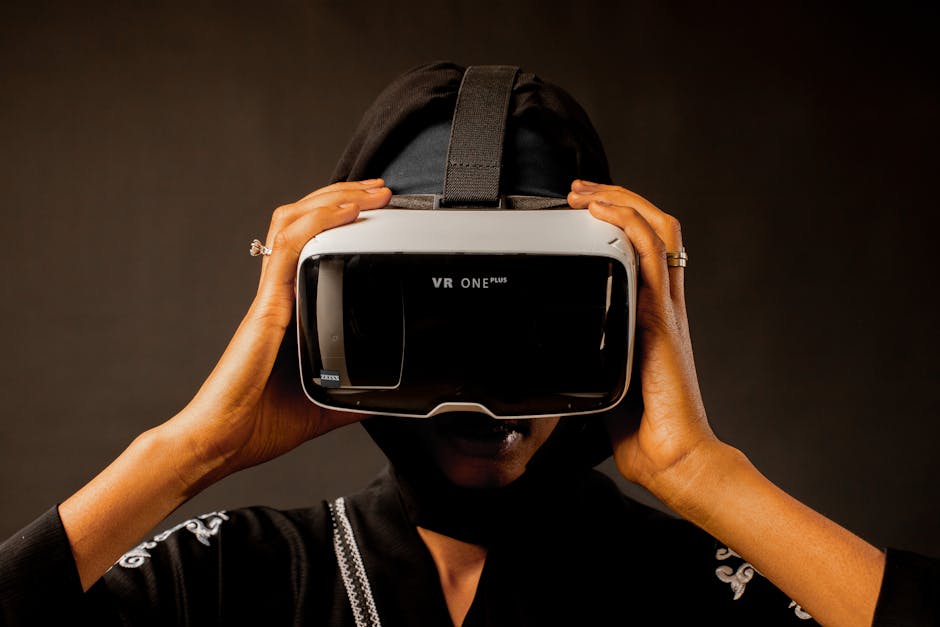
360-degree and VR video exists in a strange technical middle ground. At its core, it's just a video file — MP4, MOV, WebM. But the projection mathematics, metadata requirements, and rendering expectations are fundamentally different from conventional video. A 360-degree video uploaded to YouTube without the right metadata plays as a distorted flat video with no interactivity. A VR video sent to a Meta Quest headset in the wrong format won't load at all.
This guide covers the technical requirements for creating, converting, and distributing immersive video content across the major platforms and devices.
Understanding 360 Video Projections
A 360-degree camera captures in all directions simultaneously and stitches the footage into a single flat image that can be mapped back onto a sphere during playback. The projection format determines how this happens.
Equirectangular (ERP) — The Standard
Equirectangular projection maps the sphere to a 2:1 aspect ratio rectangle. The top of the image corresponds to straight up; the bottom to straight down; the horizontal axis wraps 360 degrees. Everything at the equator appears at correct scale; the poles are stretched.
Nearly all 360-degree cameras (GoPro MAX, Insta360, Ricoh Theta, DJI Osmo) output equirectangular. Virtually all 360-degree video platforms expect equirectangular input. It's the lingua franca of 360 video.
A correct equirectangular 360 video has a 2:1 aspect ratio. Common resolutions:
| Resolution | Type | Total Pixels | Effective Viewing Resolution |
|---|---|---|---|
| 3840×1920 | 4K 360 | ~7.4MP | ~960×540 per view area |
| 5760×2880 | 6K 360 | ~16.6MP | ~1440×720 per view area |
| 7680×3840 | 8K 360 | ~29.5MP | ~1920×960 per view area |
| 11520×5760 | 12K 360 | ~66.4MP | ~2880×1440 per view area |
Note the critical implication: only a fraction of the total image is visible at any given moment. At any point in time, you're looking at roughly 90–120 degrees of the full 360-degree sphere, so the effective viewed resolution is much lower than the file resolution. A 4K equirectangular video delivers roughly 540p visible quality in a headset. This is why 360 video demands significantly higher resolution than conventional video to look good.
Stereoscopic (3D 360) — For True VR
For full virtual reality with depth perception, you need stereoscopic 360 video: two offset perspective recordings stitched together. The left-eye and right-eye views are combined in the same video frame:
Over/Under (TB — Top/Bottom): Left eye on top half, right eye on bottom half. Used by YouTube, Meta, and most platforms. Resolution effectively halved vertically for each eye.
Side by Side (SBS): Left and right views next to each other. Less common for 360 (aspect ratio becomes 4:1), but used in some workflows.
Pro Tip: Consumer 360 cameras like the Insta360 X3 and GoPro MAX produce monoscopic 360 (a single spherical view). True stereoscopic 360 requires either dual-lens camera rigs designed for it or professional cinematography camera setups.
Cubemap and Other Projections
Cubemap (Equi-Angular Cubemap, EAC): Maps the sphere to the six faces of a cube. More computationally efficient to decode than equirectangular and produces better pixel distribution. YouTube uses EAC internally after accepting equirectangular uploads. Some VR engines prefer cubemap for rendering.
Fisheye/Dual Fisheye: Many cameras output raw fisheye footage that requires stitching before creating equirectangular. GoPro MAX, Insta360, and similar cameras handle this stitching in their companion apps.
For distribution, always convert to equirectangular — it's universally accepted. Platforms handle internal projection conversion as needed.
Video Codec and Container Requirements
The projection is metadata and rendering logic. The underlying video file still needs the right codec and container.
Container: MP4 is strongly preferred. It's universal across platforms, players, and headsets. MOV works on Apple platforms. WebM is used by web players (YouTube serves WebM to compatible browsers) but not universally for distribution.
Video codec: H.264 (H.265 is increasingly supported but H.264 is safer for broad compatibility)
360 metadata: This is what transforms a flat 2:1 video into an interactive 360 experience. YouTube, Facebook, and most players look for specific XMP metadata embedded in the MP4 file. Without it, the video plays as flat distorted content.
The most important metadata tags (Google Spatial Media standard):
SphericalVideoV2— marks as 360Stitched = true— confirms frames are stitchedStereoMode— "mono", "top-bottom", or "left-right"ProjectionType— typically "equirectangular"
Most 360 cameras and stitching apps (GoPro Player, Insta360 Studio, Adobe Premiere 360 tools) inject this metadata automatically. If you're working with footage that lacks it, the Google Spatial Media tool is the standard solution for injecting metadata post-production.
Platform-Specific Requirements
YouTube 360
YouTube's 360 video support is mature and handles most standard inputs well.
Accepted input formats: MP4 (preferred), MOV, WebM, AVI and others Video codecs: H.264, H.265, VP9 Maximum resolution accepted: 8K (YouTube transcodes to up to 8K on upload) Recommended upload resolution: 5.7K–8K for visible quality Metadata requirement: Google Spatial Media XMP metadata OR YouTube's automatic detection for recognized camera models Bitrate recommendations for upload: YouTube recommends 40–100 Mbps for 5K–8K 360 content
YouTube transcodes all uploaded 360 video and delivers multiple quality tiers (from 1440p down to 360p). Higher resolution uploads produce better quality across all tiers.
Meta Quest (Quest 2, 3, Pro)
Meta Quest headsets play local video files and streaming from websites.
Local file playback (via Gallery app or sideloaded apps):
- Format: MP4 (container)
- Codec: H.264 or H.265
- Maximum resolution: 6K (6080×3040) for Quest 3; 4K (3840×1920) for Quest 2
- Metadata: Requires 360/spatial media metadata for spherical rendering
- Stereoscopic: Top-bottom layout for 3D 360
Via Meta Horizon Worlds / Meta Spatial: Uses specific formats for different use cases within its platform. Check current developer documentation for the latest requirements.
Pro Tip: Meta Quest 3 supports AV1 codec, which provides excellent quality at lower bitrates for 6K 360 video. Quest 2 does not support AV1. For cross-device compatibility, H.265 is the better choice than AV1 for now.
Apple Vision Pro
Apple Vision Pro introduced "Spatial Video" — stereoscopic 3D video captured and played at normal (non-360) fields of view. This is distinct from 360-degree video.
For 360/immersive video on Vision Pro, Apple's Immersive Video format uses a 180-degree (fisheye equivalent) stereoscopic capture. Standard 360-degree equirectangular content plays in Vision Pro's environments but is treated differently from native Apple Immersive Video.
Facebook/Instagram
Facebook accepts 360 photo and video similarly to YouTube, requiring the same spatial media metadata. Instagram Reels and Stories do not support 360 content — uploads are treated as standard flat video.
Spatial Audio for 360 Video
Spatial audio (ambisonics) transforms the audio experience to match head rotation in VR — when you turn left in a headset, sounds from the right get louder. For fully immersive 360 experiences, spatial audio is important.
Ambisonics: The spatial audio standard for 360/VR. First-order ambisonics (FOA) is a 4-channel audio format (B-format: W, X, Y, Z). Higher-order ambisonics (HOA) captures more spatial resolution.
YouTube Spatial Audio: Accepts ambisonic audio (FOA or HOA) as additional audio tracks alongside the stereo mix. Tools like YouTube Creator Studio and spatial audio mixers in Adobe Audition and Reaper handle the ambisonic audio workflow.
Capture hardware: Cameras like the Spatial Audio module for GoPro MAX and the Insta360 X3's spatial audio feature capture ambisonic audio at capture time. Alternatively, separate ambisonic microphones (like the Zoom H3-VR or Sennheiser Ambeo Smart Headset) can be added to a 360 rig.
For content without ambisonics, standard stereo audio works — spatial audio is an enhancement, not a requirement for 360 video.
For deeper reading on spatial audio, see our guide on spatial audio formats.
Bitrate and Quality Settings
360 video requires higher bitrates than conventional video at the same declared resolution, because compression artifacts become especially visible in the stretched pole regions and in uniform areas that a viewer might stare at.
Recommended bitrates for 360 video H.264:
| Resolution | Frame Rate | Bitrate (H.264) | Bitrate (H.265) |
|---|---|---|---|
| 3840×1920 (4K) | 30fps | 50–70 Mbps | 25–35 Mbps |
| 5760×2880 (6K) | 30fps | 80–100 Mbps | 40–50 Mbps |
| 7680×3840 (8K) | 30fps | 120–150 Mbps | 60–80 Mbps |
These are higher than conventional video at the same resolution because 360-degree content suffers more from compression artifacts at low bitrates. The equatorial regions see normal compression, but poles often develop obvious blocking.
Use the /video-compressor for 360 video compression, being careful to set bitrates in the ranges above rather than the lower settings appropriate for conventional video.
Converting Existing Footage to 360 Format
Standard video cannot be automatically "converted" to 360 — there's no AI process that invents the missing 300 degrees of view. However, several legitimate conversion workflows exist:
Adding 360 metadata to stitched footage: If you have correctly stitched 2:1 footage but without the spatial media metadata, use the Google Spatial Media injector to add the required metadata.
Converting projection formats: Converting between equirectangular and cubemap, or from fisheye to equirectangular, involves mathematical projection transformation. This is done in stitching software (Autopano Video, Mistika VR) or with FFmpeg's VR filter graph.
Reprojecting for different platforms: Converting from equirectangular for one platform's requirements to another's. The /video-converter handles standard video conversion; for complex VR projection changes, dedicated stitching tools are required.
Also relevant: the video codecs explained guide provides context on H.264, H.265, AV1, and VP9 codec characteristics that apply to 360 video encoding.
FAQ
Why does my 360 video appear flat (not interactive) on YouTube?
Missing 360 metadata. YouTube needs the Google Spatial Media XMP metadata embedded in the MP4 file to know it should render as a 360 video. Check your camera's export settings or use the Google Spatial Media tool to inject the metadata.
What resolution do I actually need for a good-looking 360 experience?
For comfortable watching on a headset, 6K (5760×2880) equirectangular is the practical minimum. 8K (7680×3840) is the current sweet spot. Below 4K, the visible resolution in a headset is roughly DVD quality, which looks noticeably poor. Camera limitations mean most consumer cameras cap out at 5.7K–8K.
Can I convert a standard video to 360?
Not meaningfully. You can technically wrap a standard video onto the front hemisphere of a 360 sphere, but it looks like a flat screen in VR, not an immersive experience. True 360 video requires footage captured with a 360-degree camera.
What's the difference between 360 video and VR video?
360 video is a flat media format viewed passively — you look around but don't move through a space. VR (virtual reality) typically refers to interactive 3D environments. "VR video" often means stereoscopic 360 video (with depth) viewed in a headset. The terms are frequently used interchangeably in consumer contexts.
Does spatial audio work on regular headphones when watching 360 video?
With binaural rendering, yes. When YouTube or a VR platform renders spatial audio for headphones, it applies head-related transfer function (HRTF) processing to simulate directionality. The experience is much better than standard stereo but not as convincing as headset-based spatial audio.
Working with 360 and VR Video
The 360/VR video ecosystem has matured significantly but still requires attention to metadata, projection, and platform-specific requirements. The universal rules:
- Container: MP4
- Codec: H.264 (safe) or H.265 (better quality/size, check platform support)
- Projection: Equirectangular (2:1 aspect ratio)
- Metadata: Spatial media XMP metadata embedded
- Resolution: 6K minimum for quality, 8K optimal
- Bitrate: Higher than conventional video at same resolution
Use the /video-converter for codec conversion and the /video-compressor for bitrate management. For metadata injection and projection conversion, dedicated 360 tools handle what general converters cannot.
The investment in getting format details right pays back in content that works correctly everywhere you distribute it — from YouTube to headsets to social platforms.