Astrophotography Stacking and TIFF Export: From RAW Frames to Final Image
Astrophotography stacks tens or hundreds of frames to reveal faint stars and nebulae. Here's the export pipeline from PixInsight, Siril, or DeepSkyStacker to web-ready images.
ConvertIntoMP4 Team·May 8, 2026·8 min read
Why Stacking Is Different From Regular Photo Processing
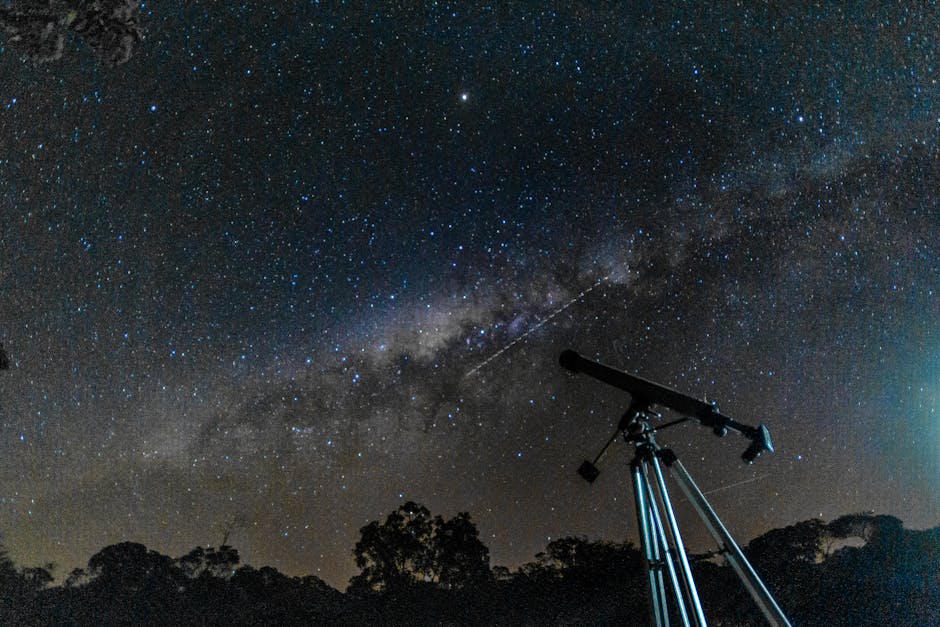
A single 30-second exposure of the night sky shows the brightest stars and maybe a hint of the Milky Way. The same target captured as 100 frames over an hour, registered to compensate for Earth's rotation, then stacked, reveals deep-sky objects that single exposures can't see.
Stacking averages out random noise (sensor noise, atmospheric scintillation, light pollution gradients) while preserving the faint signal that's consistent across frames. The result has signal-to-noise ratio that's mathematically better than any single frame.
The catch: the stacked output is a 32-bit floating-point image with extreme dynamic range. Standard photo viewers and conversion tools can't display it. Web delivery requires a specific conversion pipeline.
This post covers the export workflow from major astrophotography tools (PixInsight, Siril, DeepSkyStacker, AstroPixelProcessor) to web-deliverable PNG and JPG. For non-astro image conversion, see our image converter hub.
The common output format is 32-bit floating-point TIFF. Photoshop can open it. Most other tools can't.
Bit Depth Explained for Astro
Astro images use bit depth for dynamic range, not for color quality:
Bit depth
Range
Use
8-bit (256 levels)
0-255
Final web delivery
16-bit (65,536 levels)
0-65535
Working space for Photoshop
32-bit float
-infinity to +infinity
Stacking output, scientific
64-bit float
extreme
Theoretical, not commonly used
A stacked image of the Andromeda Galaxy has core brightness millions of times higher than the faint outer arms. 8-bit can't represent both ends; the highlights clip or the shadows crush. 32-bit float handles the full range.
The export pipeline collapses this dynamic range into 8 bits using a stretching function. Without proper stretching, the output looks black or washed out.
The Stretching Step
Stretching maps the linear sensor data to a perceptually pleasing distribution. The non-linear curve compresses bright areas (galaxy cores, bright stars) and expands dark areas (nebulae, faint structure).
In Siril:
Open the stacked .fit file
Image Processing > Asinh transformation (good for galaxies)
Or: Histogram Transformation > Drag the white point and midtone slider
Or: GHS (Generalized Hyperbolic Stretch) for fine control
In PixInsight:
Process > Stretching > MaskedStretch (for galaxies)
Or: Histogram Transformation with custom curve
Or: GeneralizedHyperbolicStretch (GHS)
After stretching, the image is in linear visual space and can be exported to standard 16-bit TIFF.
Color Calibration Before Export
Astrophotography color requires explicit calibration. Cameras have a color filter array (Bayer for one-shot color, or LRGB filters for monochrome systems). Without calibration, the colors are arbitrary.
In Siril:
Image Processing > Color Calibration
Pick "PCC" (Photometric Color Calibration) for accurate stellar colors
Or "BackgroundExtraction" then "Color Calibration"
In PixInsight:
Process > BackgroundNeutralization
Process > ColorCalibration
Process > PhotometricColorCalibration (most accurate)
The calibrated colors look subtly different from "the way the eye sees" because the eye doesn't see what the camera does. Galaxies actually have warm, dusty cores; HII regions are pink-red, not the saturated red often shown.
Star Color Preservation
Star colors are often clipped during processing. Bright stars become pure white discs, losing their actual blue/yellow/red character.
In Siril or PixInsight:
Use a star mask to protect star cores during stretching
Apply non-linear stretches outside the mask
Keep stars in linear space within the mask
The result: bright stars retain their color characters; the diffuse signal is fully stretched.
TIFF Export Settings
For 16-bit TIFF export from astro stacking tools:
Format: TIFF
Bit Depth: 16-bit per channel
Color: RGB (or grayscale for narrowband)
Compression: LZW (lossless, smaller files)
Embedded ICC: sRGB (for monitor display)
LZW compression is lossless and reduces file size 30-50% with no quality loss. ZIP compression is similar quality but slower.
For PixInsight, the export step is usually:
SaveAs > Format: TIFF
Compression: LZW
Bit Depth: 16-bit
Embedded ICC: sRGB
For our image converter, 16-bit TIFF is a supported input format for further conversion.
# 16-bit TIFF to 8-bit JPG via ImageMagick
convert input.tif -depth 8 -quality 90 output.jpg

# 16-bit TIFF to 8-bit PNG
convert input.tif -depth 8 output.png
Quality 90 JPG is sufficient for most astro work. Higher quality doesn't show benefit on screen-display content.
For large-format printing (poster prints), keep the 16-bit TIFF as the master and let the print service convert. See CMYK vs RGB Printing for color-space considerations.
Narrowband Imaging
Narrowband astro (Hubble palette, SHO mapping, Ha-RGB) uses different color channels than visible-light:
Channel
Filter
Maps to
H-alpha (Ha)
656nm narrowband
Often Red or Green
OIII
500nm narrowband
Often Blue or Green
SII
672nm narrowband
Often Red
The Hubble palette (SHO: Sulfur=Red, Halpha=Green, OIII=Blue) is the famous one. The "real" colors are arbitrary, set by the imager.
When exporting narrowband images, the channel mapping is part of the workflow. Document which filter mapped to which color in image metadata or filename.
File Size Reality
For a 6000×4000 stack:
Format
File size
Use
32-bit float TIFF
~290 MB
Master, scientific
16-bit TIFF (LZW)
~95 MB
Working master
16-bit TIFF (uncompressed)
~145 MB
If LZW unsupported
8-bit JPG quality 90
~5-10 MB
Web/social
8-bit PNG
~30-50 MB
Lossless web
Keep the 32-bit master for re-processing. Export 16-bit TIFF for sharing with other astro processors. JPG/PNG for end delivery.
Common Issues
Image looks black after stretching: stretching applied incorrectly. The histogram should span most of the 0-255 range. Re-apply with stronger stretch or different curve type.
Colors look weird (everything purple/green): white balance off. Apply Photometric Color Calibration in Siril or PixInsight.
Stars are bloated: over-processed sharpening or deconvolution. Star reduction tools (StarXTerminator, Starnet++) separate stars from background, allowing different processing.
Visible diagonal striping: walking noise from camera sensor. Drizzle integration or longer exposures reduce it.
Banding in dark areas: 8-bit output with insufficient noise. Add gentle noise (1% Gaussian) before 8-bit conversion to avoid banding artifacts.
Pro Tip: Save your processing steps as a workflow file in PixInsight or Siril. When you come back to re-process the same target with new data, the workflow recreates your final look quickly.
Frequently Asked Questions
What's the difference between TIFF and FITS?
FITS is the scientific astronomy file format, with header metadata for telescope, exposure, filters, etc. TIFF is the general imaging format. PixInsight and Siril work with both. For sharing with other astro processors: FITS preserves metadata. For Photoshop or standard image tools: TIFF.
Should I save in linear or stretched data?
Save both. Linear (32-bit float) for re-processing. Stretched (16-bit TIFF) for sharing with other astro processors who want to apply their own tonal adjustments.
How big is too big to share?
For social sharing, anything over 10 MB will be re-compressed by the platform. For Astrobin and dedicated astro communities, 16-bit TIFF up to 100 MB is acceptable. For email sharing, JPG under 5 MB.
Can I use Photoshop for the entire workflow?
For broad-band RGB targets: yes. Photoshop's tonal tools handle stretching adequately. For narrowband, calibration, or specific astro processing (deconvolution, gradient removal): PixInsight or Siril is much better. Photoshop is for the cosmetic final stages.
What about HDR for astro?
HDR makes sense for bright targets like the Moon (multiple exposures of different brightness). For deep sky, the stack itself provides the dynamic range. HDR processing on stacked deep-sky data is rarely useful.
Do I need a calibration frames (darks, flats, bias)?
For best quality: yes. Darks remove sensor thermal noise. Flats remove vignetting and dust. Bias removes read noise. The improvement varies; on cool nights with clean optics, the difference is small. On hot summer nights, calibration frames are critical.
For astrophotography export: stack in PixInsight or Siril, stretch with appropriate curve (asinh for galaxies, masked for star preservation), calibrate color, export as 16-bit TIFF for sharing or 8-bit JPG for web. Keep the 32-bit float master for re-processing. Our image converter handles TIFF-to-JPG-to-PNG conversion if you need format flexibility after the astro pipeline.
astrophotographystackingTIFFPixInsightSiril
About the Author
ConvertIntoMP4 Team
The ConvertIntoMP4 editorial team — engineers, designers, and media specialists building the fastest free file converter on the web.